Soledad Penades: Using the Firefox Developer Edition dark theme with Nightly |
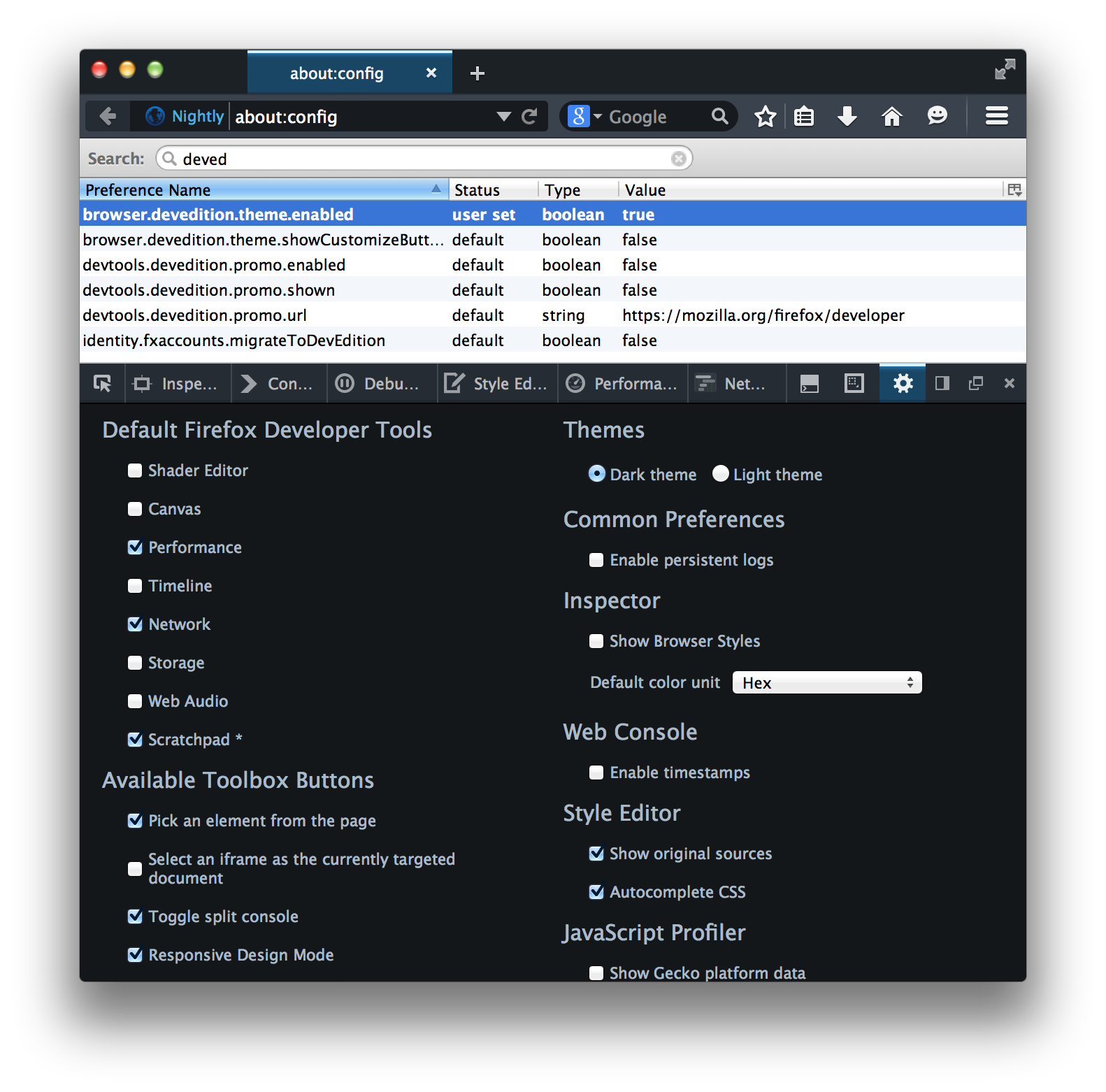
With a recent version of Nightly, go to about:config and set browser.devedition.theme.enabled to true.
Open DevTools (I use alt + cmd + i, or you can also go to the Tools -> Web Developer -> Toggle tools menu). Then open DevTools preferences by clicking on the gear icon, and select “Dark Theme” on the top right, underneath the Themes.
Screenshot for clarification:
Note: you might not get the full effect if there is “legacy stuff” in your profile. If it doesn’t look as you expect… your best option might be to just create a new profile when you start the browser.
Note 2: for some reason the tabs weren’t rendering correctly on my normal nightly profile because the about:config browser.tabs.drawInTitlebar entry was set to false instead of true—I set it to true and now everything looks fine for me.
Or just use the standard Firefox Developer Edition if you’re not an impatient person like me 

http://soledadpenades.com/2014/11/20/using-the-firefox-developer-edition-dark-theme-with-nightly/
| Комментировать | « Пред. запись — К дневнику — След. запись » | Страницы: [1] [Новые] |


