Firefox OS is all over the tech news and for good reason: Mozilla's finally given
web developers the platform that they need to create apps the way they've been creating them for years -- with CSS, HTML, and JavaScript. Firefox OS has been rapidly improving, adding features and APIs to provide device control and other standard mobile functionality. Much is not known about Firefox OS, however, and here are a few items you may find interesting!
The Firefox Marketplace is Open Source
Everyone knows that the components of Firefox OS are open source. Not many know this fact: the Firefox Marketplace is a Django-based application, code-named 'zamboni', used not only for the Marketplace but also for
AMO (Add-Ons). Like Firefox OS' gaia (the web-based operating system)
zamboni is freely available on GitHub. This means that you could fork zamboni, update the design, and create your own store for HTML5 apps!
You Can Buy a Test Device
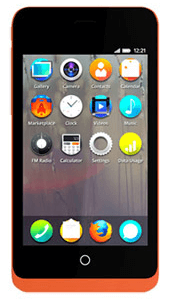
Everything Mozilla does is open so it is common knowledge that you can
create your own Firefox OS build if you have a supported device. What many people may have missed is the
announcement of a test device available for purchase from
Geeksphone. While the
Firefox OS Simulator does a good job of allowing users to test apps get the general gist of the platform, there's nothing like having a comparative-hardware device to test with. Even if you don't plan on creating your own Firefox OS apps, it's still nice to have a test device around to test your own websites.
Loads of APIs are Being Implemented
For the skeptics who don't believe the HTML5 spec provides enough device control: think again. Mozilla has been rolling out
dozens of WebAPI features to allow access to all types of device APIs:
Battery, Camera, Contacts, WebSMS, Storage,
Vibration, Settings, Alarm, Browser, and many more. Each API is either planned, in development, or completed, and may be available on different types of devices (desktop, tablet, mobile). Bookmark
the WebAPI chart to keep track of where each API is in its development stage!
Install Apps from Any Domain!
Mozilla doesn't hold users hostage when it comes to installing new apps; instead of needing to jump over to the device's app store app, Mozilla provides a
JavaScript API for installing web apps from any allowed domains:
var manifestLocation = "http://areatweet.com/app.manifest"; // your domain here
var installRequest = navigator.mozApps.install(manifestLocation);

installRequest.onsuccess = function(data) {
    // App installed successfully!
};

installRequest.onerror = function(err) {
    // App couldn't be installed!
    console.log("Install error!");
};
It's incredibly liberating to allow installation from outside an app store; no more tyranny, no more unnecessary proprietary crap.
Web Activities!
The amazing
Mozilla Hack Blog recently
introduced Web Activities: a system for adding context-specific controls within an app. The screen where a user would see a Web Activity would look like this:
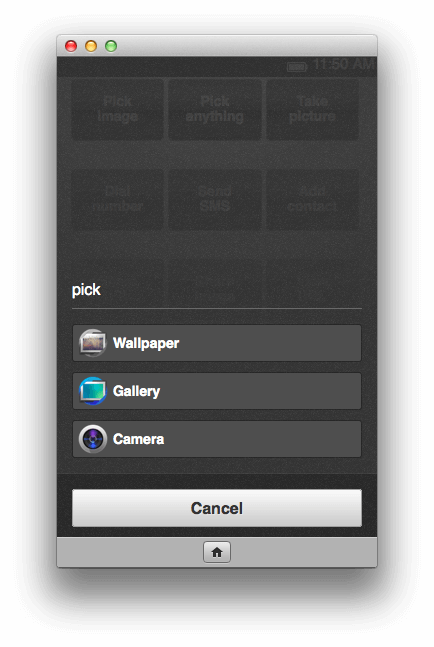
Web Activities provide a system by which you can specify the desired input result and a callback based on the activity's success and failure. Code for said activity and result could look like:
var pick = new MozActivity({
   name: "pick",
   data: {
       type: ["image/png", "image/jpg", "image/jpeg"]


